CrossCraft Crossword Puzzle Maker
🙋 リクエスト:
AI企画部
+ 改善: 山田太郎
App screen preview
Overview
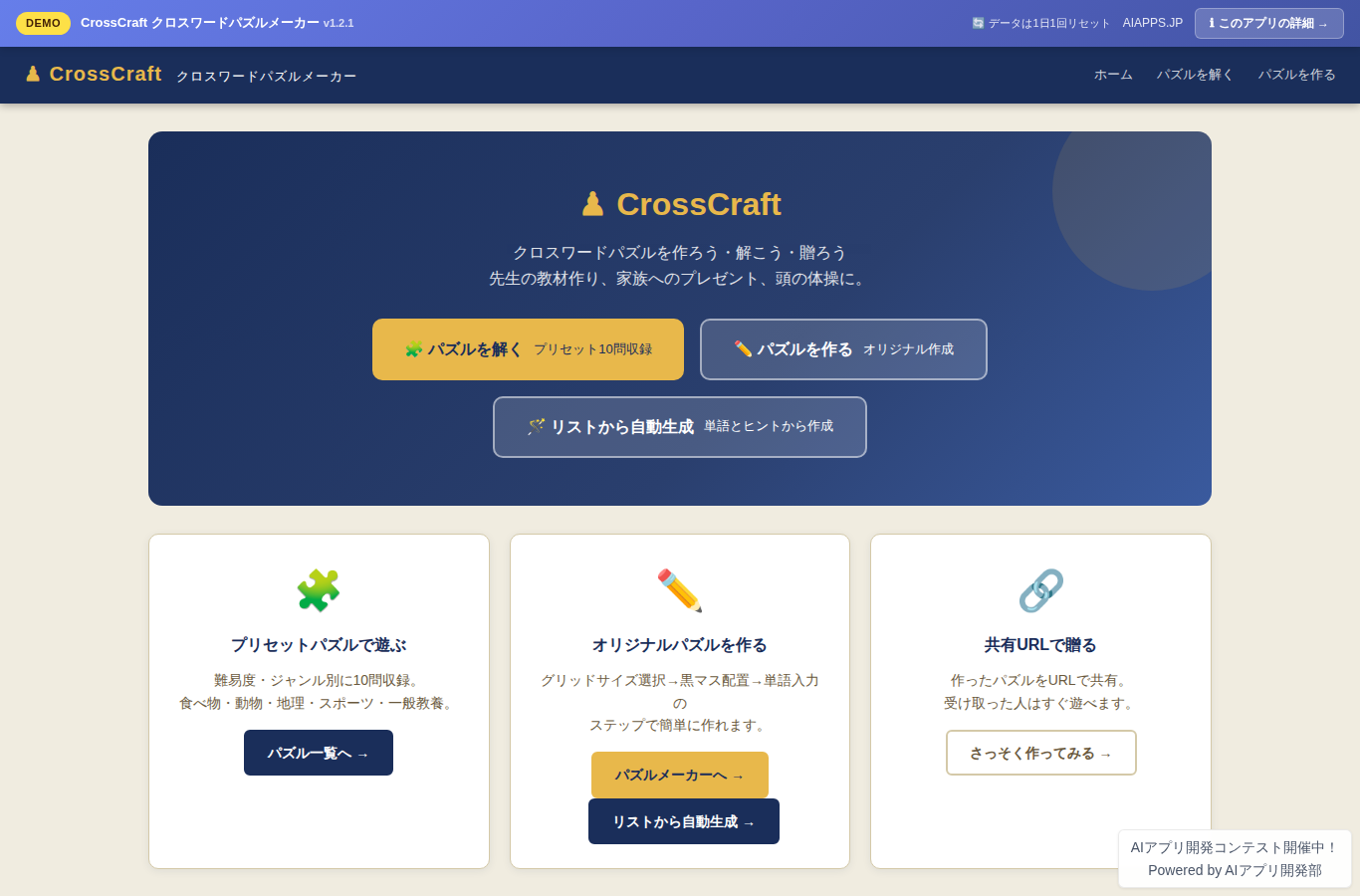
A web app for creating, playing, and sharing crossword puzzles right in your browser. Great for teachers building classroom materials or as a gift for family and friends. Comes with 30 preset puzzles so you can play right away. Includes a print feature for use in classroom handouts.
Key Features
- Wizard that auto-generates crosswords from a list of words and clues
- Puzzle maker with three grid sizes (10×10 / 13×13 / 15×15)
- Free-form layout editing of black and white squares
- Automatic numbering of words and clues, with input forms
- 30 built-in Japanese puzzles (3 difficulty levels × 5 genres)
- Click-to-play grid with answer checking
- Clear-time tracking with local records
- Shareable URL generation (works without a database)
- Puzzle saving and sharing via 6-digit short codes
- Print feature (puzzle and answer key layouts)
- Confetti effect on completion (built with Canvas)
Setup Steps
- Create an account on AI App Lab (if you haven't)
- Download
installer.phpfrom your dashboard - Upload to your server's public directory and run it
- Enter API token → select this app → enter DB info → done
📚 Version History
Showing the current version only. See all versions (5) →
v1.2.1
Current
パズル一覧で各カードのクリア状態が正しく表示されるよう修正しました。
トップページに「リストから自動生成」ボタンを追加しました。単語とヒントを1行ずつ入力するだけで、クロスワードの配置案を作れます。
自動生成ウィザードでは10×10/13×13/15×15のサイズ選択、単語数に応じた推奨サイズ表示、最大5パターンの再生成に対応しました。
生成後は既存のパズルメーカーに読み込んで、従来通り保存・共有URL作成・印刷を利用できます。配置できなかった単語も確認できます。
🔒 Log in and a license are required to download