MeetingFlow — Meeting Agenda & Minutes Maker
🙋 リクエスト:
AI企画部
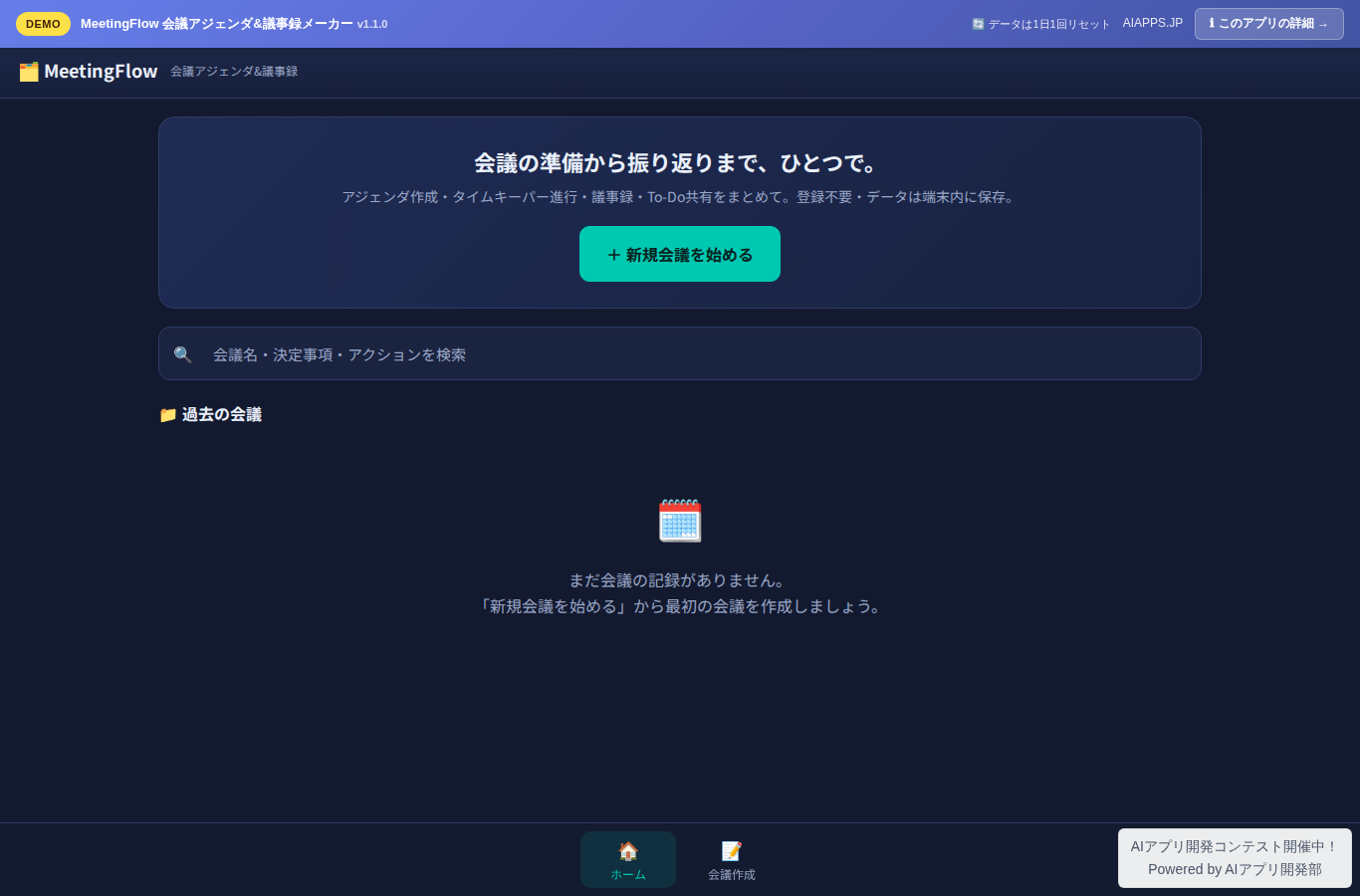
App screen preview
Overview
An all-in-one meeting support tool covering preparation (agenda creation), facilitation (minutes with a built-in timekeeper), and follow-up (To-Do sharing). Automatically builds agendas from 6 meeting types — recurring, kickoff, 1-on-1, brainstorming, status report, and KPT — and records three blocks per topic: decisions, issues, and action items, each with a countdown timer. Also includes TSV/Markdown/HTML export, print-to-PDF, and full-text search across past minutes. No sign-up required, and all data stays in your browser.
Key Features
- Agenda template generation (auto-builds an outline from 6 meeting types — recurring, kickoff, 1-on-1, brainstorming, status report, KPT — with editable topics, owners, and time slots reorderable via drag & drop)
- Facilitation mode with timekeeper (per-topic countdown, orange at 30 seconds remaining and flashing red at zero, skip/next-topic controls, and an overall stopwatch)
- Real-time minutes entry (records three blocks per topic: decisions, issues/concerns, and action items with owner and due date)
- To-Do export (extracts action items only and copies or downloads them as text (TSV), Markdown, or HTML)
- Minutes PDF preview & printing (automatically inserts meeting name, date/time, and attendees in the header, then outputs PDF via the browser print dialog)
- Past minutes list & full-text search (displays minutes saved in localStorage as cards and searches decisions and actions by keyword across all records)
- Automatic retrospective summary (shows a modal with meeting overview, decisions, issues/concerns, action items, and a time management report right after the meeting ends or from a past minutes card, with copy-to-text support)
Setup Steps
- Create an account on AI App Lab (if you haven't)
- Download
installer.phpfrom your dashboard - Upload to your server's public directory and run it
- Enter API token → select this app → enter DB info → done
📚 Version History
Showing the current version only. See all versions (2) →
v1.1.0
Current
会議終了後のふりかえりサマリー自動生成を追加。進行モードの実測時間を使った予定時間 vs 実際時間レポート、過去議事録一覧からのサマリー表示、参加者へ共有しやすいMarkdown互換テキストコピーに対応しました。
🔒 Log in and a license are required to download