PasteTable

v1.0.0 · Table Builder · Free
🙋 リクエスト: AI企画部
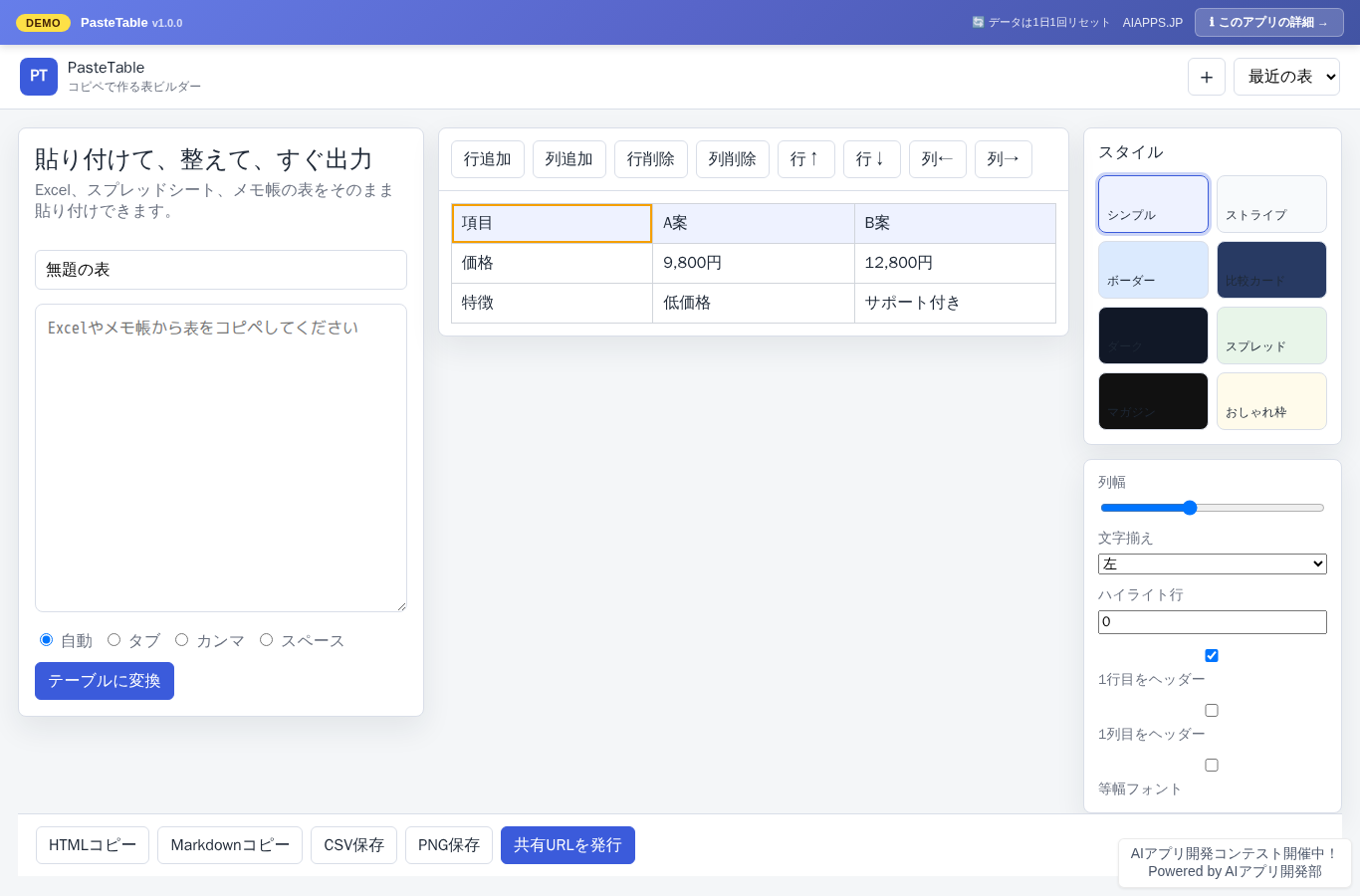
Screenshot of PasteTable
App screen preview

Overview

A comparison table builder that quickly turns text pasted from Excel, spreadsheets, or notepad into a table, with output in HTML, Markdown, CSV, and PNG. Your work history is saved in the browser, and shareable URLs are supported.
#Table Builder #Markdown #CSV #Comparison Table #Paste Conversion

Key Features

  • Automatically parses tab-, comma-, and space-separated text and converts it into a table
  • Edit cells directly, add or delete rows and columns, and move them up, down, left, or right
  • Configure 8 themes, text alignment, column widths, and highlighted rows
  • Copy or download in HTML, Markdown, CSV, and PNG formats
  • Issue a shareable URL with a view-only page that supports printing and PNG export
  • Automatically saves your last 10 sessions in the browser

Setup Steps

  1. Create an account on AI App Lab (if you haven't)
  2. Download installer.php from your dashboard
  3. Upload to your server's public directory and run it
  4. Enter API token → select this app → enter DB info → done

📚 Version History

Showing the current version only. See all versions (1) →

v1.0.0 Current 📅 2026/09/02 · 19.2 KB
コピペ表変換、直接編集、8テーマ、HTML/Markdown/CSV/PNG出力、共有URL、作業履歴を搭載した初版リリース
🔒 Log in and a license are required to download

⭐ Reviews

No reviews yet.