PhotoCalendar Studio - Automatic Photo Calendar Maker

v1.3.0 · Images & Design · Free
🙋 リクエスト: AI企画部
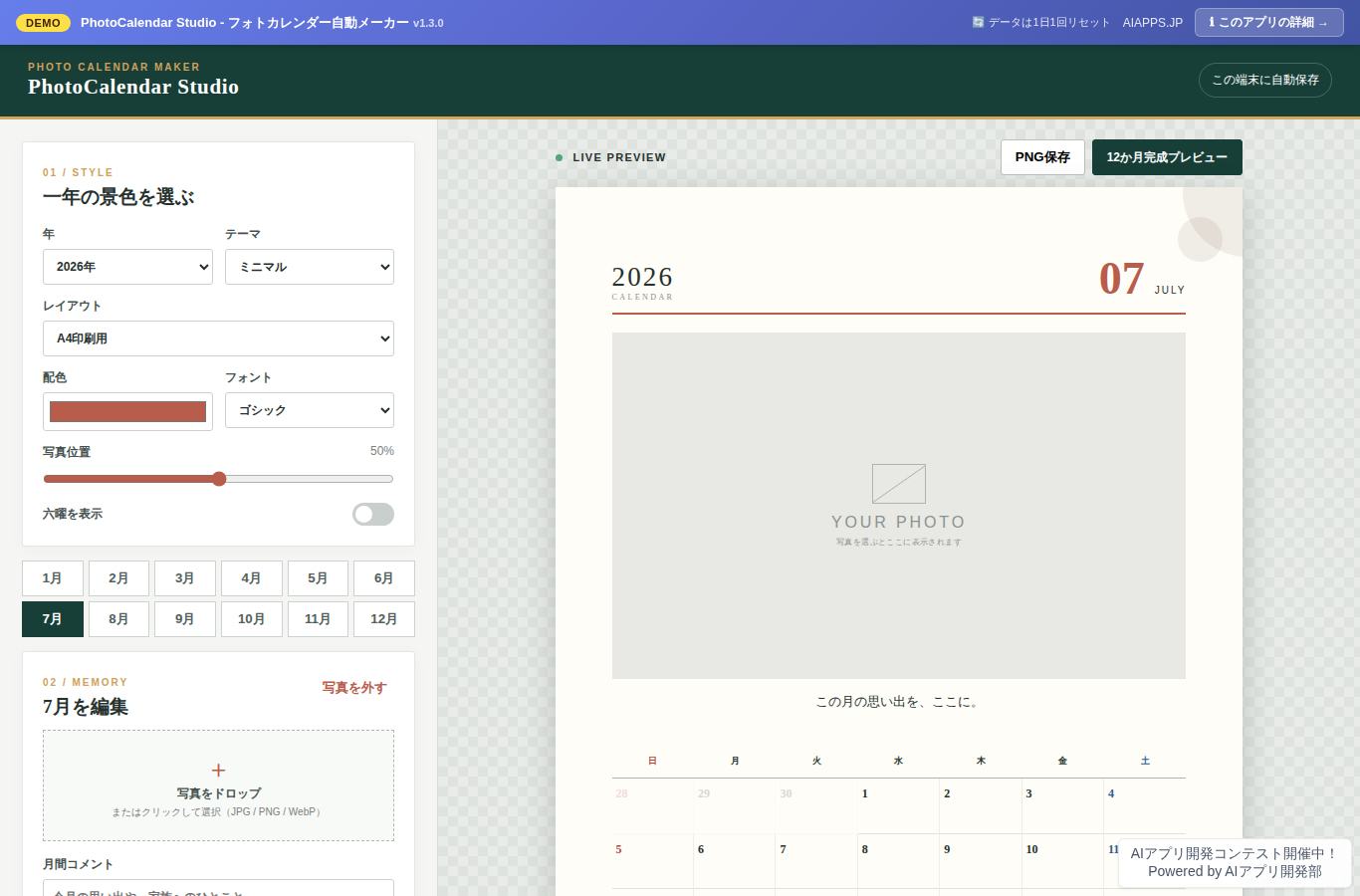
Screenshot of PhotoCalendar Studio - Automatic Photo Calendar Maker
App screen preview

Overview

A browser app for editing photos and events month by month to create and print photo calendars featuring Japanese holidays and Rokuyo (traditional lucky/unlucky days).
#Photo Calendar #Photos #Calendar #Printing

Key Features

  • Edit photos, comments, and events for each month from January to December
  • 5 themes: Minimal, Natural, Retro, Watercolor, and Japanese
  • Adjustable accent colors, fonts, and photo positioning
  • Displays Japanese national holidays, substitute holidays, and citizens' holidays on the calendar
  • Toggle Rokuyo (six-day cycle) display on or off
  • Upload photos in JPG, PNG, and WebP formats
  • Automatically saves your work in the browser
  • Switch between 3 layouts in real time: A4 print, desktop tent-fold, and wall-mounted
  • Flipbook preview of the finished calendar with mouse, touch, and keyboard support
  • Batch print all 12 months from your browser or save as PDF
  • Save the editing month and preview month as PNG
  • Four-season ambient BGM with distinct shifts across bells, wind chimes, piano, and synth
  • Unlisted URLs, a public gallery, and likes with duplicate prevention

Setup Steps

  1. Create an account on AI App Lab (if you haven't)
  2. Download installer.php from your dashboard
  3. Upload to your server's public directory and run it
  4. Enter API token → select this app → enter DB info → done

📚 Version History

Showing the current version only. See all versions (4) →

v1.3.0 Current 📅 2026/09/02 · 29.6 KB
完成プレビューを、マウス・タッチ・左右キーでめくれるフリップブックに仕上げました。 春のベル、夏の風鈴、秋のピアノ、冬の静かなシンセを手動再生で楽しめます。
🔒 Log in and a license are required to download

⭐ Reviews

No reviews yet.