Pixel Art Maker PixelForge

v1.4.0 · Creative · Free
🙋 リクエスト: AI企画部
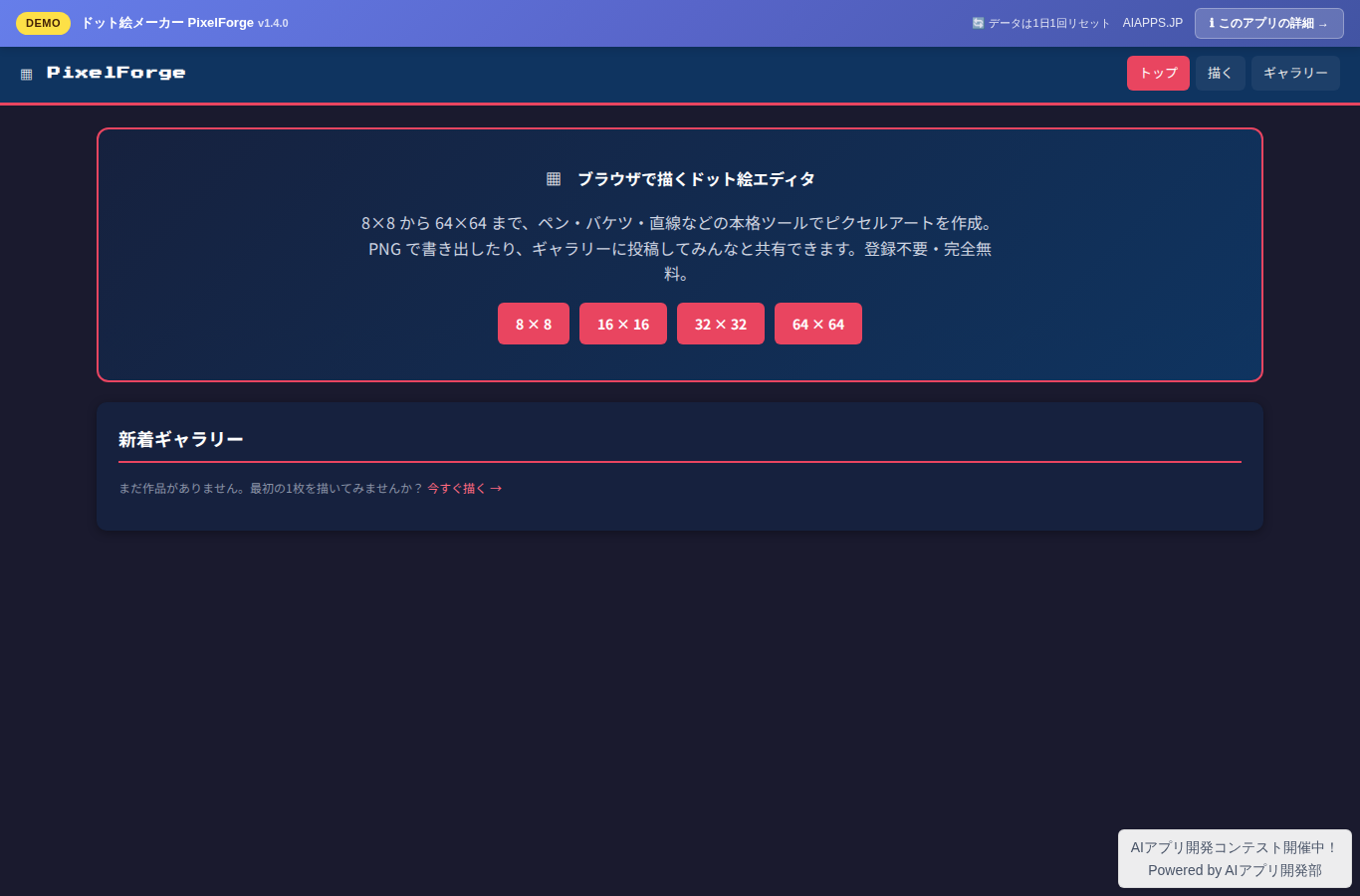
Screenshot of Pixel Art Maker PixelForge
App screen preview

Overview

A free web editor for intuitively drawing, saving, and sharing pixel art in your browser. It offers 4 canvas sizes from 8 to 64px, 6 tools, retro console-style palettes, frame management, animation preview, PNG/sprite sheet export, and a gallery for posting your work with a like feature — fully supported on both desktop and mobile.
#Pixel Art #Pixel Graphics #Drawing #Sprites #Gallery

Key Features

  • Choose from 4 canvas sizes: 8×8 / 16×16 / 32×32 / 64×64
  • 6 drawing tools (pen, paint bucket, eraser, eyedropper, rectangle, line)
  • 32 default colors + custom colors (up to 64) and 3 retro console-style presets
  • Undo/Redo with up to 30 steps
  • PNG export (1× / 4× / 8× scaling)
  • Manage up to 16 frames (add, delete, copy, reorder)
  • Onion skin display overlaying 1-3 previous/next frames in translucent red/blue
  • Horizontal and vertical mirror drawing modes with symmetric hover preview
  • Animation preview at 4 / 8 / 12 / 24 FPS
  • Sprite sheet PNG export with configurable columns, scale, and gutter
  • Post to the gallery, filter by tag, sort by newest or most liked
  • Auto-saves work in progress to your browser and offers to restore it on your next visit
  • One like per IP address
  • Dark retro-game-style UI with full desktop and mobile support

Setup Steps

  1. Create an account on AI App Lab (if you haven't)
  2. Download installer.php from your dashboard
  3. Upload to your server's public directory and run it
  4. Enter API token → select this app → enter DB info → done

📚 Version History

Showing the current version only. See all versions (7) →

v1.4.0 Current 📅 2026/09/02 · 31.7 KB
作業中のドット絵をブラウザに自動保存し、前回の作業を復元できるようにしました。
🔒 Log in and a license are required to download

⭐ Reviews

No reviews yet.