ReportCraft — Daily, Weekly & Monthly Report Maker

v1.0.0 · Business · Free
🙋 リクエスト: AI企画部
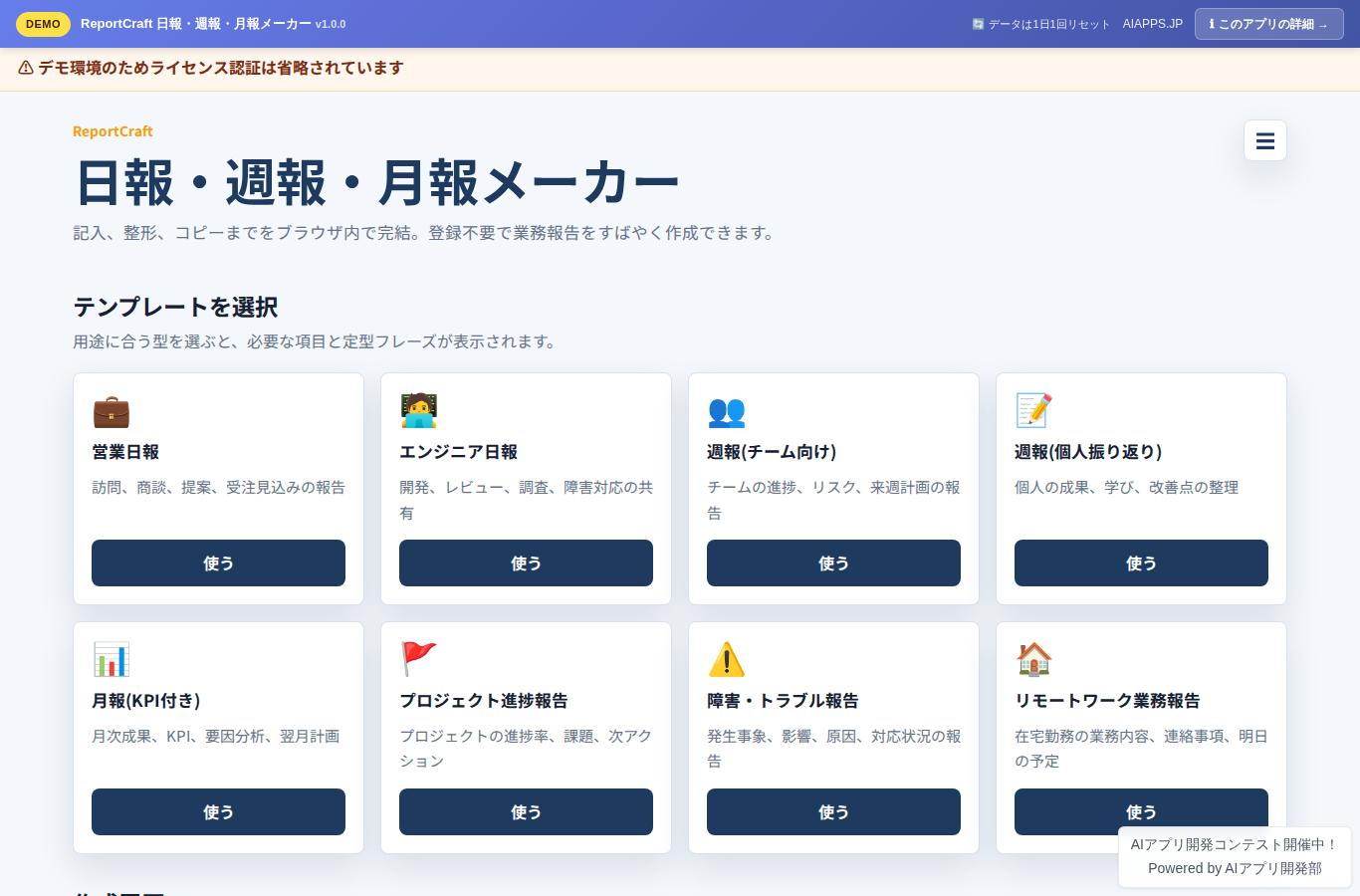
Screenshot of ReportCraft — Daily, Weekly & Monthly Report Maker
App screen preview

Overview

A business report maker that gets daily, weekly, and monthly reports done fast: fill in, auto-format, copy. Choose from 8 templates and just fill out the form — your input is automatically formatted into a professional business document style. Paste it straight into email, Slack, or Teams. Includes My Profile, a stock phrase dictionary, and creation history. No sign-up, no external APIs — data is stored on your device (localStorage).
#Daily Reports #Weekly Reports #Monthly Reports #Reports #Templates #Productivity #No-Code

Key Features

  • 8 report templates (sales daily report / engineer daily report / weekly report (team) / weekly report (personal review) / monthly report (with KPIs) / project progress report / incident & trouble report / remote work report)
  • Automatic business-document formatting from form input (a dedicated formatter for each template)
  • Two-column layout: input form on the left, real-time preview on the right (stacked vertically on mobile)
  • Switch output between Markdown and plain text
  • One-click copy of formatted text (paste into email, Slack, or Teams)
  • Save My Profile (name, department, manager's name, and recipients stored in localStorage to skip re-entry)
  • Stock phrase dictionary (one-click insertion of the best phrases for each template)
  • Creation history (last 10 entries saved in localStorage for re-editing or deletion)
  • Light / dark theme switching

Setup Steps

  1. Create an account on AI App Lab (if you haven't)
  2. Download installer.php from your dashboard
  3. Upload to your server's public directory and run it
  4. Enter API token → select this app → enter DB info → done

📚 Version History

Showing the current version only. See all versions (1) →

v1.0.0 Current 📅 2026/09/02 · 20.7 KB
初版リリース:8種の業務報告書テンプレート(営業日報/エンジニア日報/週報チーム向け/週報個人振り返り/月報KPI付き/プロジェクト進捗/障害トラブル報告/リモートワーク業務報告)、フォーム入力→ビジネス文書スタイル自動整形、リアルタイムプレビュー、Markdown/プレーンテキスト切替、ワンクリックコピー、マイプロフィール保存、定型フレーズ辞書、作成履歴(最大10件)、ライト/ダークテーマ。登録不要・DB不使用、データは端末内に保存。
🔒 Log in and a license are required to download

⭐ Reviews

No reviews yet.