Restaurant Reservation Ledger
🙋 リクエスト:
山田太郎
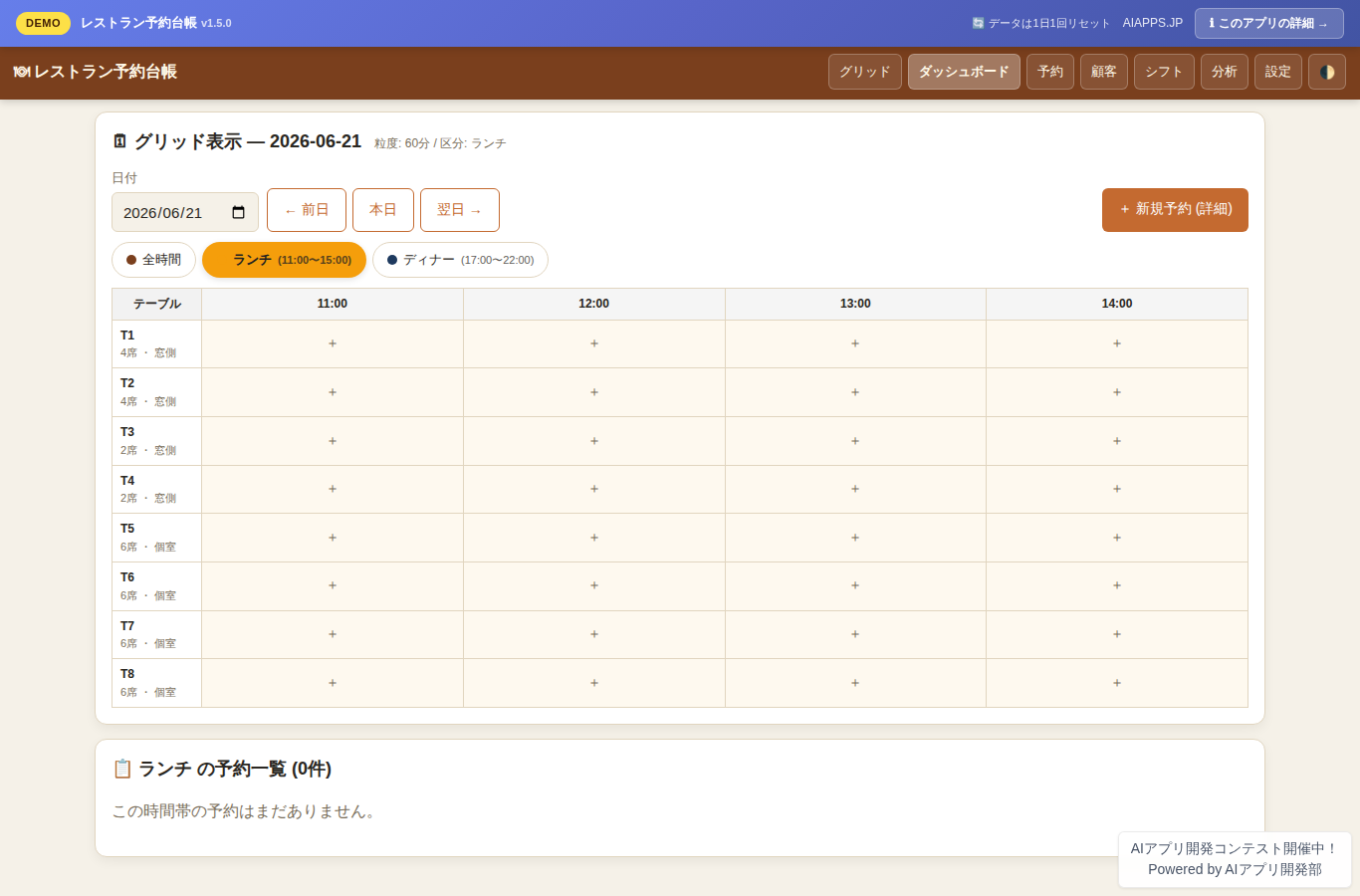
App screen preview
Overview
An integrated reservation ledger system for restaurants and food service businesses. Multi-location reservation management, table layout maps, a customer ledger with VIP/regular flags, staff shifts, sales analytics, and CSV export — all on a single screen. Responsive design for PC, tablet, and smartphone, built for one-handed operation.
Key Features
- Home screen: table × time-axis grid (time-slot tabs, adjustable granularity)
- Reservation list and calendar views (daily / weekly / monthly toggle)
- Reservation CRUD (create / edit / cancel, arrival status updates)
- Table layout and seat management (registered per location, real-time seat availability)
- Customer profiles and regular-guest management (visit count, last visit, contact info, notes)
- VIP and regular-guest flags (★ mark + special handling notes + rank level)
- Multi-location management and switching (tables, reservations, and staff per location)
- Staff shift and attendance management (daily shift entry, position settings)
- Walk-in and same-day slot management (instant booking from open seats)
- Reservation status management (booked / seated / paid / cancelled / no-show)
- Sales and cancellation fee records (enter bill amount and cancellation fee per reservation)
- Sales analytics dashboard (today's and this month's reservation count, revenue, and average spend in charts)
- CSV export (download reservation, customer, and sales data as CSV)
- Reminder list (highlights reservations arriving today)
- Quick search and filters (by location, period, status, or customer name)
- Responsive design (full support for wide PC, tablet, and portrait smartphone)
- Dark / light theme switching (automatic or manual by device and time of day)
- Closing day settings (weekly recurring closing days + add/remove specific dates on the calendar; closing days block reservations and show as closed on the grid)
- Time-slot filter for the reservation list (switch between lunch, dinner, and other slots via tabs to narrow reservations by time period)
- Simple password gate (register a password in settings to require it before viewing the ledger)
- Monthly shift calendar view (per-position daily headcount badges; click a date to jump to that day's shifts)
- Shift position master management (add and edit positions such as floor, kitchen, and manager with colors from the settings screen)
- Streamlined navigation (table management consolidated into settings, along with staff add/edit)
Setup Steps
- Create an account on AI App Lab (if you haven't)
- Download
installer.phpfrom your dashboard - Upload to your server's public directory and run it
- Enter API token → select this app → enter DB info → done
📚 Version History
Showing the current version only. See all versions (6) →
v1.5.0
Current
🔒 Log in and a license are required to download