ScienceLab VR-Style - Virtual Science Lab in Your Browser
🙋 リクエスト:
AI企画部
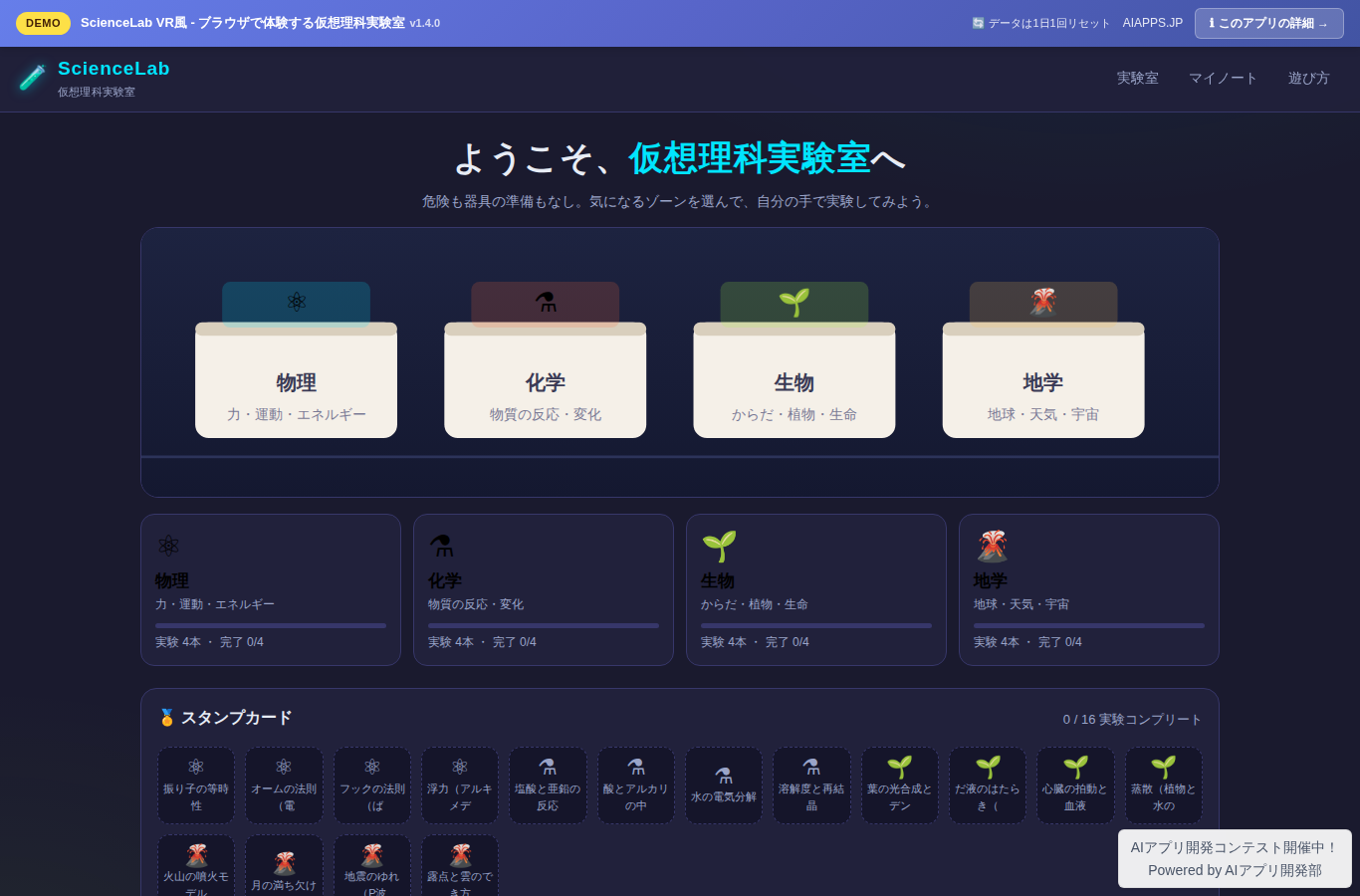
App screen preview
Overview
A virtual science lab that lets you run middle and high school science experiments interactively in your browser, with no hazards and no equipment to set up. It covers four fields—physics, chemistry, biology, and earth science—and adjusting sliders for temperature, concentration, angle, and more updates the results in real time through Canvas animations. Follow the step-by-step procedures, then lock in what you've learned with auto-generated lab notes and comprehension quizzes. No database required; data is saved in the browser.
Key Features
- Pick a zone from the virtual lab (SVG overhead illustration), divided into four fields—physics, chemistry, biology, and earth science—and start experimenting
- Every experiment responds instantly with Canvas animations as you adjust parameters (temperature, concentration, angle, weight, light level, and more) with sliders
- Comparison mode places conditions A and B side by side with independent sliders and Canvas views to observe the difference in results
- Work through procedures with a step indicator, with clear middle-school-level explanations at each step
- "Experiment failed" effects triggered by reckless parameters or procedural mistakes, plus an explanation of the correct steps
- After each experiment, a fill-in-the-blank lab note covering purpose, hypothesis, procedure, results, and discussion is generated automatically and saved to localStorage
- Check your understanding after each experiment with three multiple-choice questions (principle, calculation, and advanced), with correct answers recorded
- Track progress with a stamp card covering all 16 experiments, and unlock the "Experiment Master" title on completion (4 experiments each in physics, chemistry, biology, and earth science, for 16 total)
- Browse all your records on the My Lab Notes screen, and print or save them as PDF lab notes with print-optimized CSS
- Responsive UI for both desktop and mobile (mobile uses a stacked two-row layout with larger sliders)
Setup Steps
- Create an account on AI App Lab (if you haven't)
- Download
installer.phpfrom your dashboard - Upload to your server's public directory and run it
- Enter API token → select this app → enter DB info → done
📚 Version History
Showing the current version only. See all versions (5) →
v1.4.0
Current
比較モードを追加。条件A/Bの2つのCanvasと独立スライダーで実験結果を並べて確認でき、条件コピー、変更中バッジ、比較メモ付き実験ノート保存に対応しました。
🔒 Log in and a license are required to download