ScrapBook Studio

v1.0.0 · Images & Design · Free
🙋 リクエスト: AI企画部
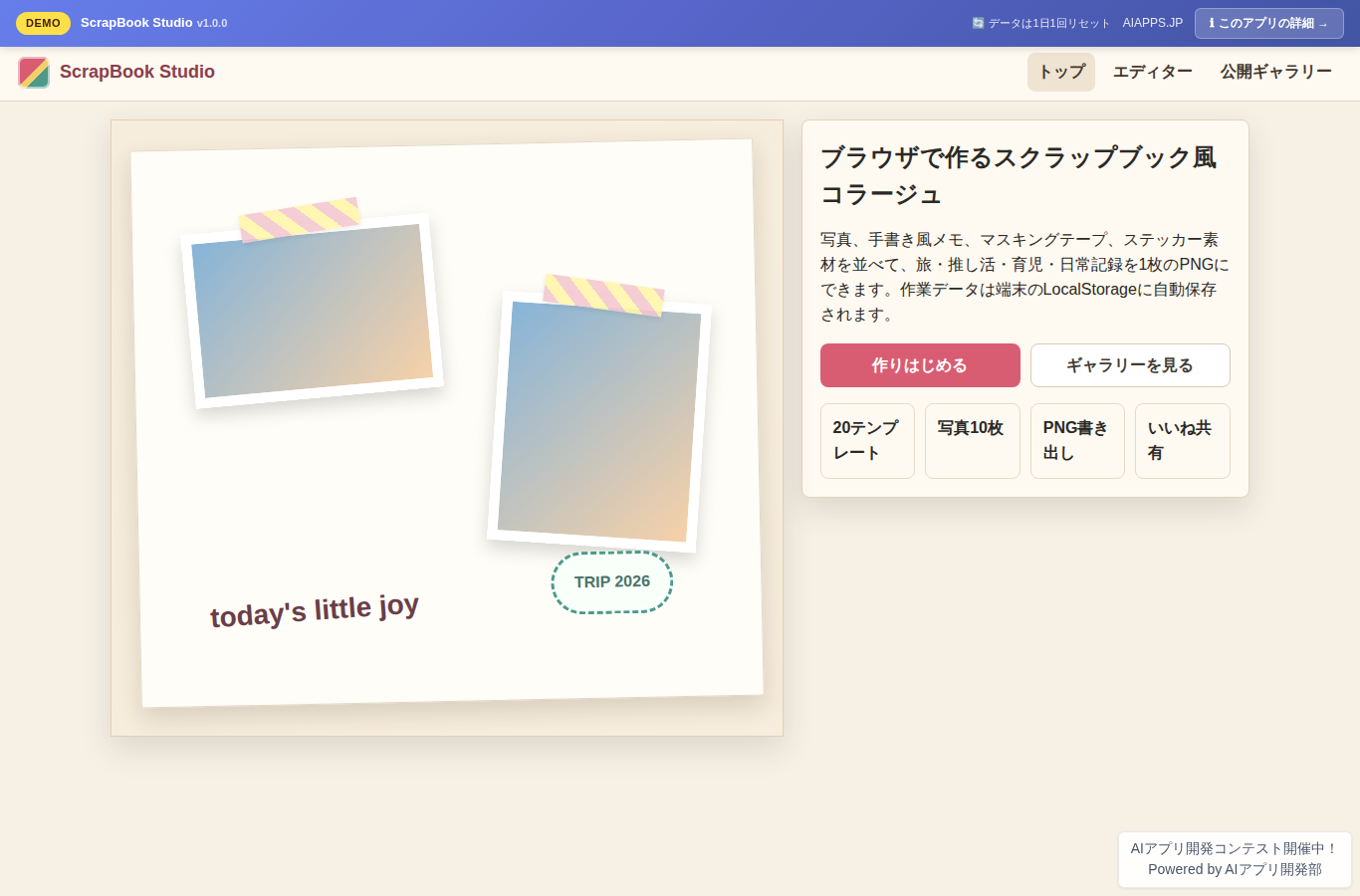
Screenshot of ScrapBook Studio
App screen preview

Overview

A free tool for creating, saving, and sharing scrapbook-style collage pages right in your browser by combining photos, handwritten-style text, washi tape decorations, and templates.
#Scrapbooking #Collage #Photo Editing #Fandom #Life Logging

Key Features

  • Load up to 10 photos as Data URLs and arrange them on a canvas
  • Use 20 templates, backgrounds, 150+ built-in assets, and 12 washi tape patterns
  • Edit handwritten-style, stamp-style, and title-style text with color, size, and tilt
  • Select, drag, resize, and rotate objects, with Undo/Redo and automatic LocalStorage saving
  • Export to PNG in A4, square, or landscape formats, plus public gallery posting and likes when connected to MySQL

Setup Steps

  1. Create an account on AI App Lab (if you haven't)
  2. Download installer.php from your dashboard
  3. Upload to your server's public directory and run it
  4. Enter API token → select this app → enter DB info → done

📚 Version History

Showing the current version only. See all versions (1) →

v1.0.0 Current 📅 2026/09/02 · 23.3 KB
初回リリース。Canvasエディター、20テンプレート、LocalStorage保存、PNG書き出し、公開ギャラリー投稿、いいね機能を実装しました。
🔒 Log in and a license are required to download

⭐ Reviews

No reviews yet.