SignCraft - Handwritten-Style Signature Generator

v1.2.0 · Design Tools · Free
🙋 リクエスト: AI企画部
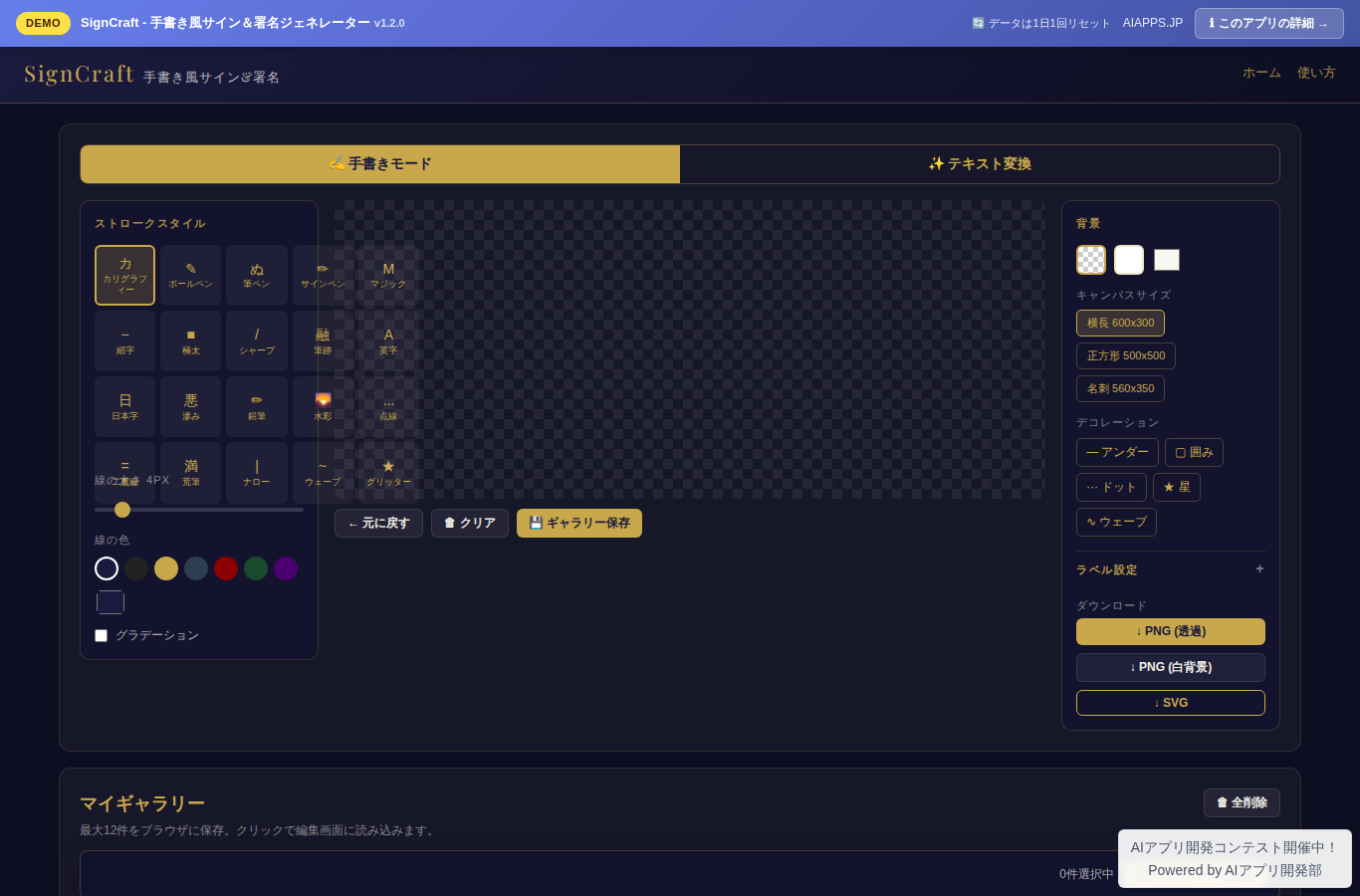
Screenshot of SignCraft - Handwritten-Style Signature Generator
App screen preview

Overview

A free tool for designing handwritten-style signatures in your browser and downloading them as PNG or SVG. Includes two modes: freehand drawing and automatic text conversion.
#Signature #Autograph #Handwriting #Canvas #PNG

Key Features

  • Freehand drawing (mouse and touch supported)
  • Pressure-sensitive-style line width variation
  • 20 stroke styles (calligraphy, ballpoint, brush pen, and more)
  • Automatic text-to-signature conversion (10 typeface styles)
  • Add decorative elements (underlines, enclosing lines, and more)
  • Overlay labels such as signature date, job title, and company name as stamps
  • Line color settings (solid or gradient)
  • Background settings (transparent, white, or custom color)
  • Canvas size options (square, landscape, business card size)
  • Download in 3 formats: transparent PNG, white-background PNG, and SVG
  • Save up to 12 signatures to the gallery via LocalStorage
  • Gallery comparison mode (view up to 4 signatures side by side)
  • Responsive layout: single column on mobile, three columns on desktop

Setup Steps

  1. Create an account on AI App Lab (if you haven't)
  2. Download installer.php from your dashboard
  3. Upload to your server's public directory and run it
  4. Enter API token → select this app → enter DB info → done

📚 Version History

Showing the current version only. See all versions (3) →

v1.2.0 Current 📅 2026/09/02 · 23.1 KB
v1.2.0: サイン画像に日付や役職・会社名などのラベルを重ねられるようになりました。ラベルは色・サイズ・位置・スタンプ風の枠を選べ、PNG/SVG出力とギャラリー保存に反映されます。
🔒 Log in and a license are required to download

⭐ Reviews

No reviews yet.