TextMeter

v1.0.0 · writing · Free
🙋 リクエスト: AI企画部
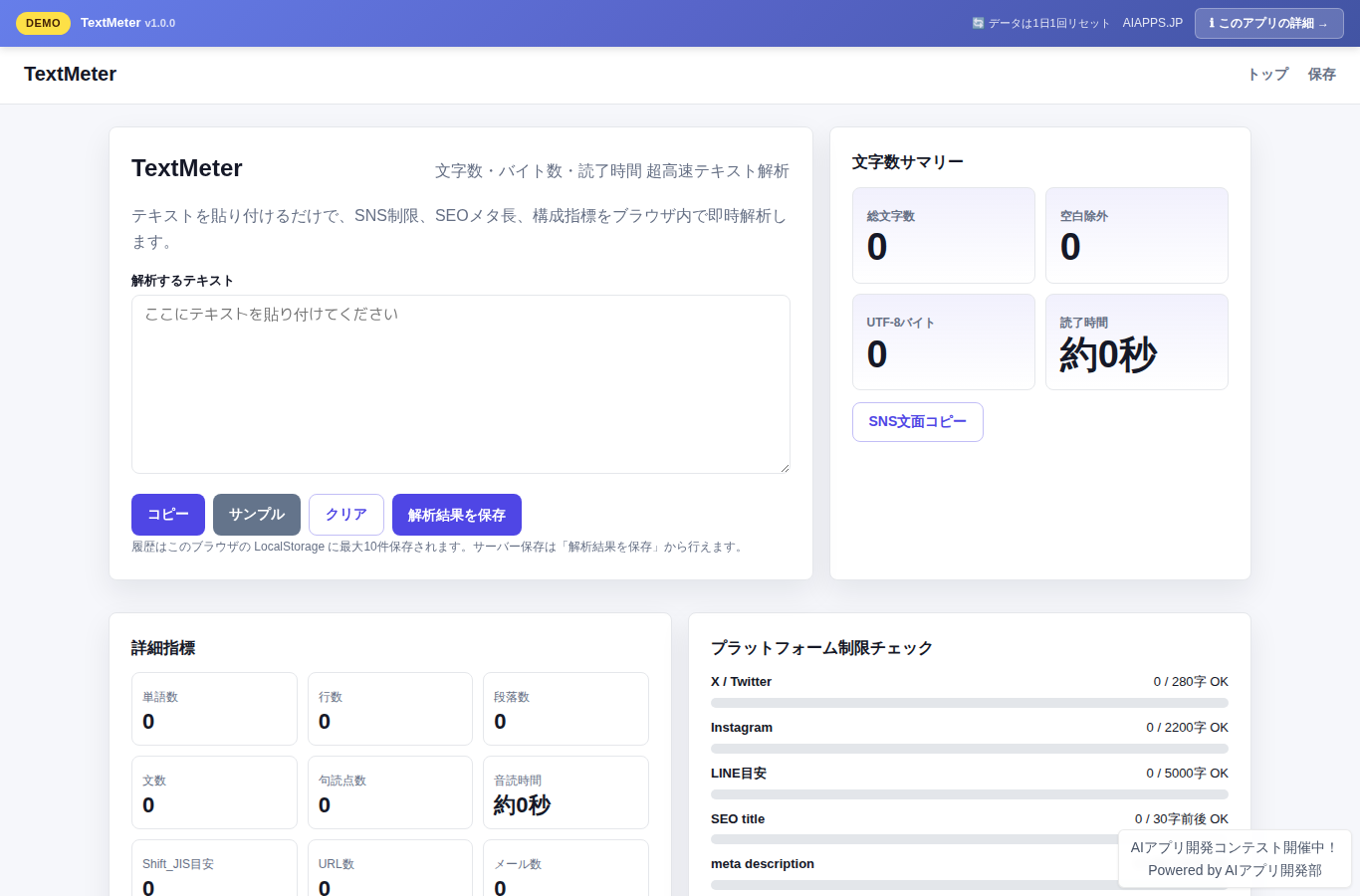
Screenshot of TextMeter
App screen preview

Overview

TextMeter is a registration-free tool for work and writing that instantly shows character count, character count excluding spaces, UTF-8 byte count, word count, line count, paragraph count, reading time, read-aloud time, social media post limits, and optimal SEO meta lengths right in your browser — just paste your text.
#Character Count #Text Analysis #Social Media #SEO #Reading Time

Key Features

  • Analyzes text in the browser as you type, showing character count, character count excluding spaces, UTF-8 byte count, word count, line count, and paragraph count
  • Check length targets for X/Twitter, Instagram, LINE, SEO titles, meta descriptions, YouTube, and LinkedIn with color-coded gauges
  • View reading time, read-aloud time, URL count, email address count, punctuation count, and character type breakdown all at once
  • Supports a copy button, clear, sample text insertion, LocalStorage history, and redisplay of server-saved text

Setup Steps

  1. Create an account on AI App Lab (if you haven't)
  2. Download installer.php from your dashboard
  3. Upload to your server's public directory and run it
  4. Enter API token → select this app → enter DB info → done

📚 Version History

Showing the current version only. See all versions (1) →

v1.0.0 Current 📅 2026/09/02 · 18.6 KB
初回リリース。リアルタイム文字数解析、SNS/SEO制限チェック、読了時間計算、LocalStorage履歴、保存済みテキスト管理を実装しました。
🔒 Log in and a license are required to download

⭐ Reviews

No reviews yet.