ZipForge File Compression & Extraction Tool
🙋 リクエスト:
山田太郎
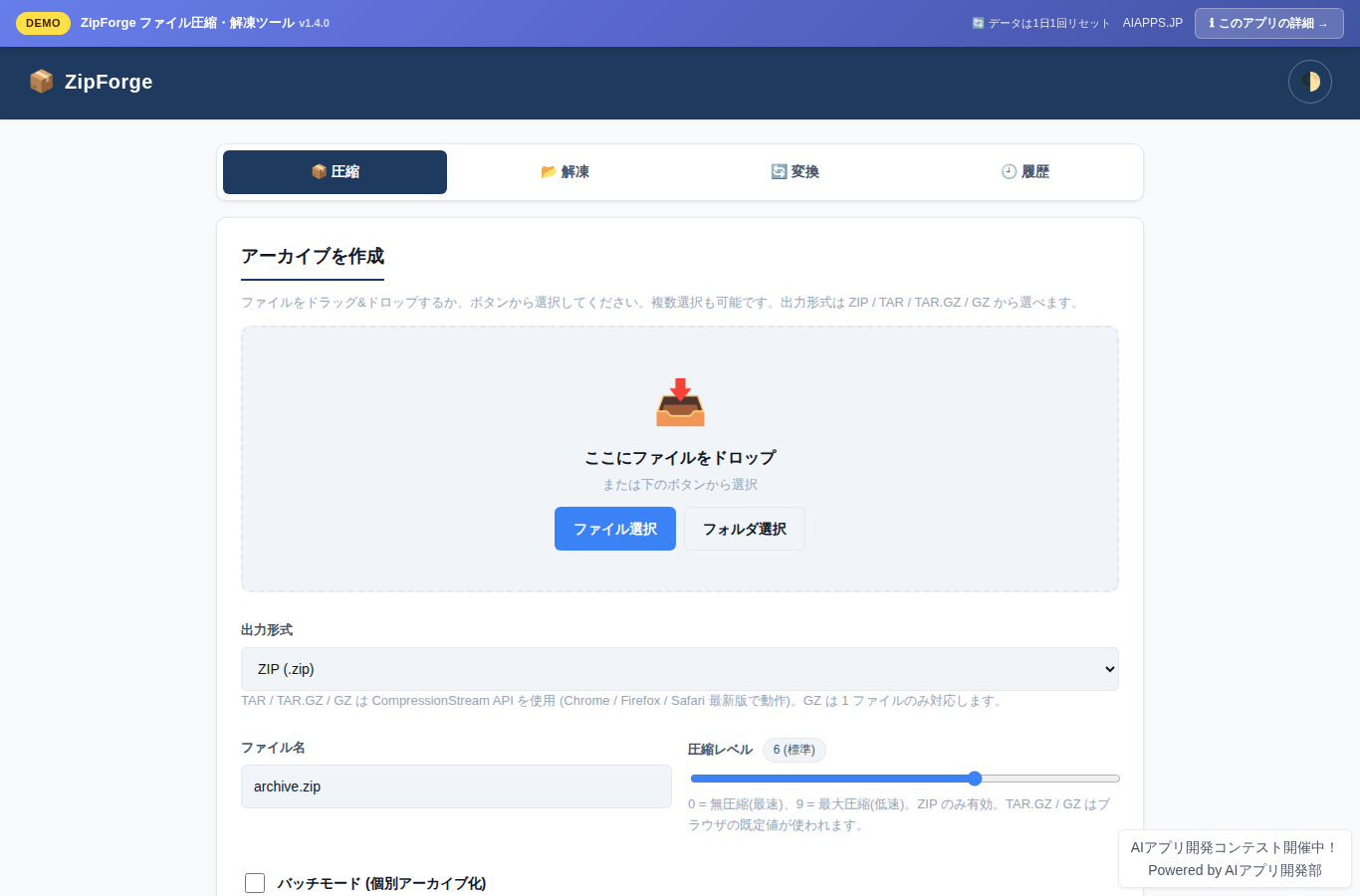
App screen preview
Overview
A browser-based file compression and extraction tool for business use. Create ZIP / TAR / TAR.GZ / GZ archives and extract all major archive formats including ZIP / 7z / RAR / TAR / GZ / BZ2. Archive format conversion (ZIP ↔ TAR / TAR.GZ / GZ, or converting 7z/RAR/TAR/GZ to ZIP) also runs entirely in the browser. Supports drag & drop, batch processing of multiple files, output format selection, per-file/per-folder individual archiving (batch mode), noise file exclusion filters, pre-extraction preview, compression level adjustment, password-protected ZIP with AES-256, processing history saved to localStorage, and dark/light mode switching. No upload or installation required — files and passwords are processed entirely on your device.
Key Features
- Browser-based ZIP compression and extraction (no upload required)
- Output format selection: ZIP / TAR / TAR.GZ / GZ (single file) supported (gzip generated natively in-browser via the CompressionStream API)
- Extraction of major archive formats including 7z / RAR / TAR / GZ / TGZ / BZ2 / XZ (libarchive.js / WASM bundled)
- Archive format conversion: convert ZIP / 7z / RAR / TAR / GZ and more to ZIP / TAR / TAR.GZ / GZ in the browser (new)
- Drag & drop plus touch support (tap targets of 44px or larger)
- Bulk ZIP creation from multiple files/folders
- Batch mode (individual archiving): download each selected file/folder as a separate archive in one go
- Exclusion filters: automatically exclude noise files such as .DS_Store / Thumbs.db / .git / node_modules from compression (patterns editable)
- Bulk drop and parallel processing of multiple archives
- Content preview before extraction (file names, sizes, item count)
- Compression level adjustment (0-9)
- Selective extraction of individual files
- Password-protected ZIP (WinZip-compatible AES-256, with strength meter)
- Automatic detection of encrypted archives plus password entry UI / passwords used locally only
- Processing history saved to localStorage (up to 20 entries; file contents and passwords are never stored, conversion history also recorded)
- Dark/light mode switching (automatically follows device settings)
- Responsive UI (smartphone portrait / tablet / wide desktop)
Setup Steps
- Create an account on AI App Lab (if you haven't)
- Download
installer.phpfrom your dashboard - Upload to your server's public directory and run it
- Enter API token → select this app → enter DB info → done
📚 Version History
Showing the current version only. See all versions (5) →
v1.4.0
Current
アーカイブ形式の変換タブを新設。ZIP / 7z / RAR / TAR / GZ などを ZIP / TAR / TAR.GZ / GZ にブラウザ内で変換可能 (アップロード不要)。変換時の進捗バー、変換履歴の保存、対応形式バッジ表示にも対応。パスワード付きの暗号化アーカイブはこのタブの対象外 (解凍タブで展開してから再圧縮してください)。
🔒 Log in and a license are required to download